

You’ve knocked out a Trike, and the Simple Kibble is still in your bag. Do you put it in the Trike’s inventory now or wait until it’s hungry enough to eat several pieces in a row? The answer depends on how safe the tame is and how hard the food is to replace.
Starve taming means waiting to add food after a knockout. With the same creature, food and rates, both methods take the same total time and use the same amount of food on a successful tame. The wait pays off when you’d rather keep valuable food with you until it’s time to use it. Perfect for multiplayer groups, whether you're starting a fresh ARK server, planning a long-term challenge, or just having fun with friends.
Starve Taming Vs Normal Feeding
With normal feeding, you put the food in the creature’s inventory as soon as it’s down. It eats each bite as its Food stat drops far enough. With starve taming, you let that same Food stat drop first, then add the food. The creature can eat several bites close together because it’s already hungry.
| What Changes | Normal Feeding | Starve Taming |
|---|---|---|
| When You Add Food | Right after the knockout | Once enough Food has drained |
| Food At Risk | You commit the food from the start | You keep it with you during the wait |
| Total Time From Knockout | Same under matching conditions | Same under matching conditions |
A taming bar that fills in seconds can look like a faster tame. Count from the knockout and you’ll see where the time went. Taming effectiveness and the resulting bonus levels are also the same under matching conditions. Food choice and damage taken during the tame are two things that can change the result.
When Delaying Food Can Be Useful
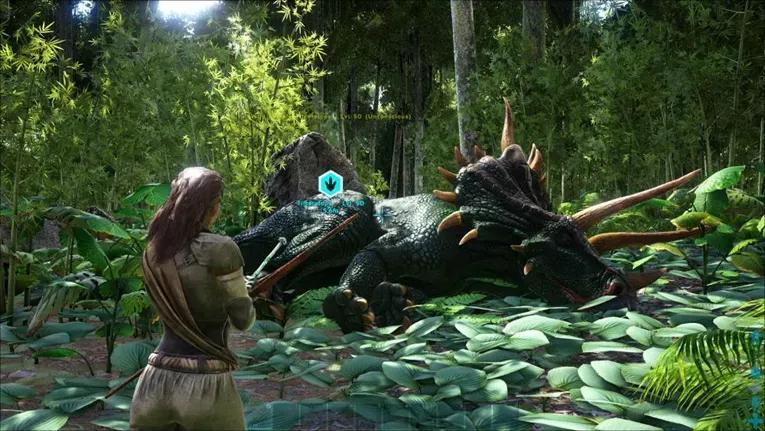
Say you’ve brought just enough Simple Kibble for a Trike and there are predators around the pen. If the tame falls through before you load the kibble, you still have it for the next attempt. The same idea works for a carnivore that takes Raw Prime Meat. If a tribemate can bring it over just before feeding, it spends less time spoiling in the creature’s inventory.
If the Trike is already behind walls and you’re using berries you can easily replace, feed it normally. It’s the simpler choice, especially if your server rates make the tame short. Either way, stay close enough to watch the creature or leave a tribemate on guard.
Decide who’s staying at the pen before you knock anything out. If you’re solo, bring the food and Narcotic with you so you can feed the creature as soon as you’re ready. On a tribe tame, have one player watch the animal while another makes the supply run.
Set Up The Correct Calculator
Open the Dododex app and use its ARK: Survival Evolved calculator. Pick the exact species and level, then select the food you’re bringing. A Trike’s estimate for Simple Kibble and its estimate for Mejoberries answer two different questions, even though you’re looking at the same animal.
Match Taming Speed and Food Drain to the rates for the world you’re playing on. Check TamingSpeedMultiplier and DinoCharacterFoodDrainMultiplier in GameUserSettings.ini. Then match Dododex’s Use Single Player Settings toggle to the game setting. If your tribe wants shorter tames across the board, increase the taming speed multiplier in the server configuration.
Taming Speed changes how much progress each bite gives you. Food Drain changes how soon the next bite happens. If the food counts or times look off, recheck those settings. On servers with custom wild-creature drain rates, compare the timers with the live stats before relying on them.
If you switch from Simple Kibble to Mejoberries while you’re waiting, select Mejoberries in the calculator and sync the Starve Timer to the current Food reading again. You’ll have a fresh estimate for the food you have with you.
Watch Food And Torpor Separately
Once the creature is down, open its inventory and read its current and maximum Food. Enter both in Dododex’s Starve Timer. The current number keeps moving while you type, so you can enter a slightly lower value and start the timer when the in-game reading reaches it.
Use the Torpor Timer separately. Enter the creature’s current Torpor after the knockout and check it against the in-game stat as you go. The creature wakes up when Torpor hits zero, so top it up before that happens. Use Narcotic in the creature’s inventory and log the dose in Dododex. You can do that while you’re still holding back the taming food. If the game and the timer disagree, go by what you see in the creature’s inventory.
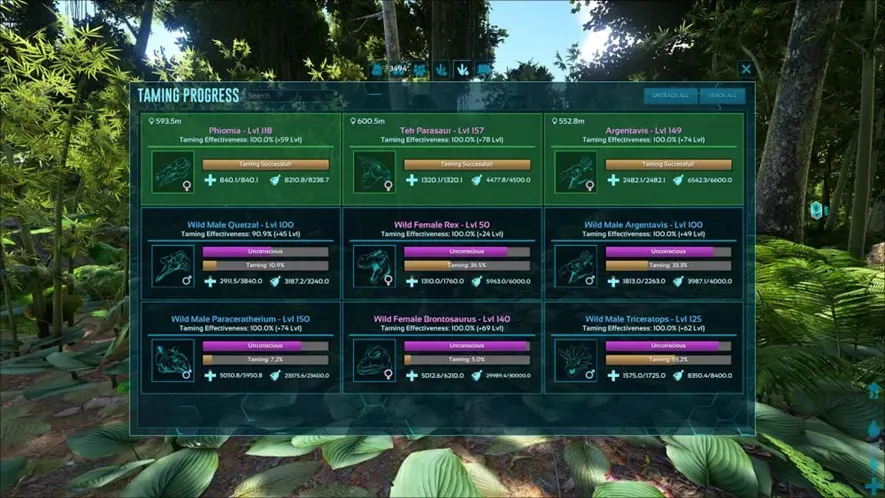
If you’ve got several tames going, open ARK’s Taming Progress screen. The Food and Unconscious bars show which creature needs a closer look. Open its inventory for the exact readings you’ll use to set your timers or decide when to dose Narcotic.
Know When To Feed And When To Stop
When Dododex’s Until Tamed timer is nearly done, check the creature’s Food and add the selected food if it’s ready. Let the creature eat by itself and watch the taming bar. If it eats a few bites and still has progress left to make, keep its food stocked and finish the tame at the normal pace.
If Dododex shows Until Starved, the creature’s Food stat can’t drop far enough for it to eat the full requirement in one sitting. Feed it before Food hits zero, then let it finish bite by bite. Use this method for ordinary knockout tames. Passive tames and creatures with special feeding rules need their own approach.
Plan Your Next Tame With Pine Hosting
If your tribe wants to start a private ARK: Survival Evolved Server world, pick taming rates that fit the time you usually play together. Set Dododex to those rates before the hunt, then split the work at the pen. One player can watch Torpor while another brings the food over. On our ARK: Survival Evolved Server Hosting, you have the full freedom along with hunting with your friends.